
Explore the Event Agenda
Welcome! This page is here to help you quickly make sense of the event agenda and plan a day that fits you best. Our schedule includes multiple tracks and sessions happening at the same time, so don’t worry if it looks like a lot at first glance. Use the tips below to learn how to read the agenda, spot the sessions that matter most to you, and build a simple game plan for your time with us.
Session Tracks
Specific session tracks are designated in the schedule using a color-coding system. On the website, sessions for directors will appear in a purple box, those for college students in green, and those for workshops in blue. Sessions intended for ALL attendees will have no additional color. In the mobile app, the colors for each track are the same and are indicated by a small flag in the upper-left corner of the box.
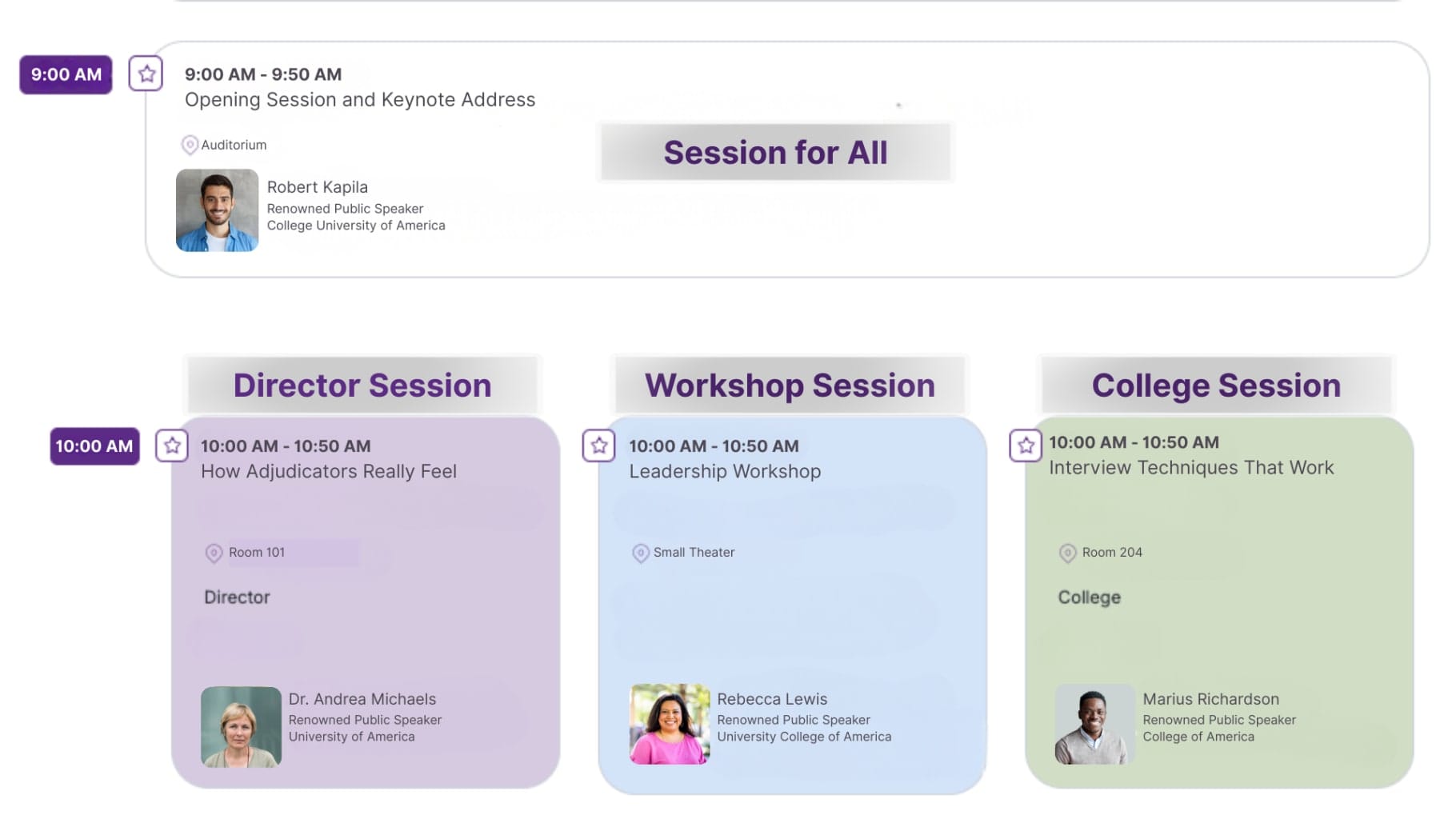
Website Agenda View
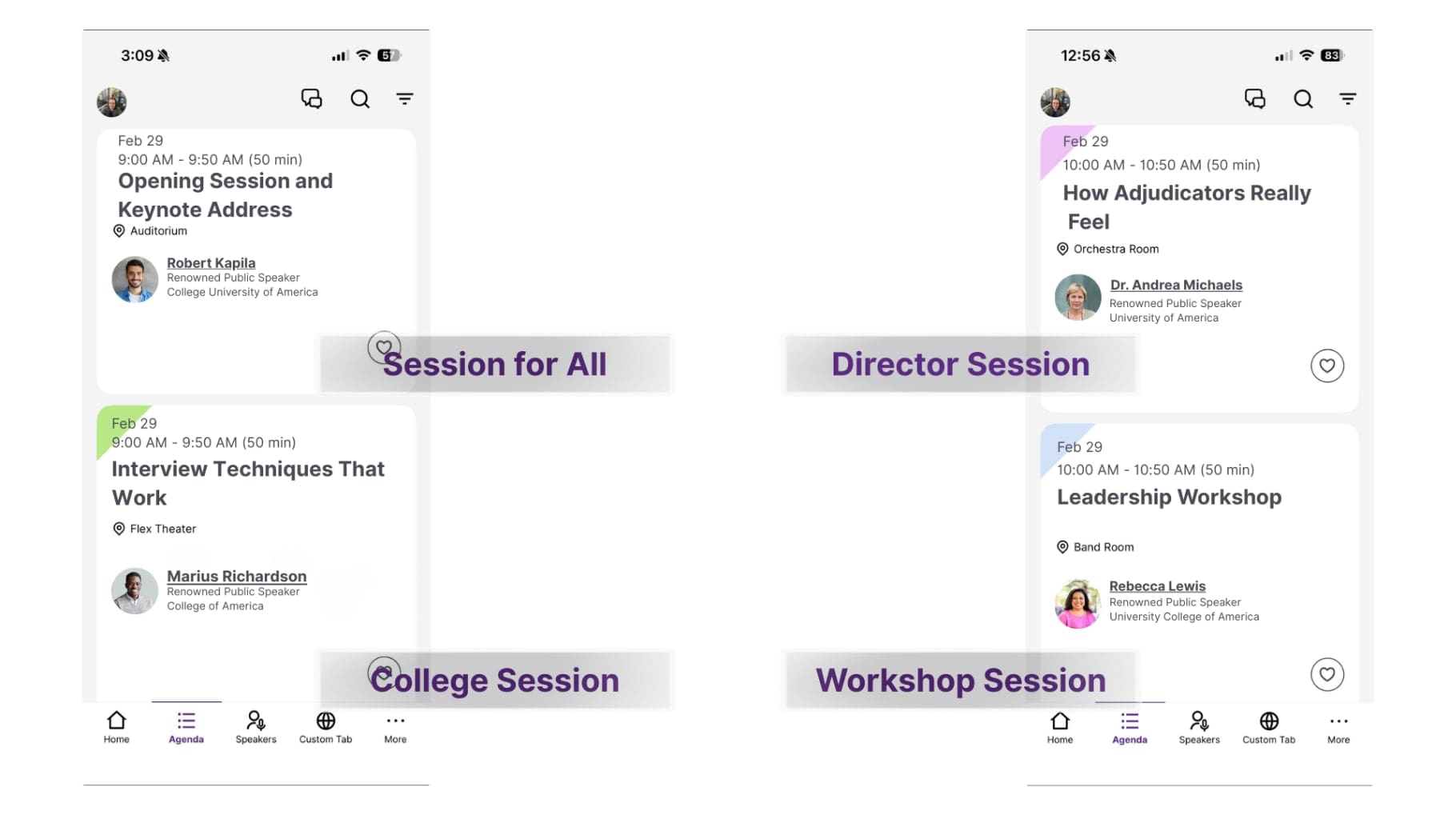
Mobile App Agenda View
Filter with Tags
In addition to color-coding based on specific tracks, you can also filter your view of the schedule based on tags. Sessions are tagged with labels based on the event and the topics offered. Examples include: director, college, administrator, workshop, middle school, high school, marching band, new teacher, etc. Some sessions might have multiple tags as they are appropriate for a variety of audiences. The filter menu locations for both the desktop and mobile views are shown below circled in purple.
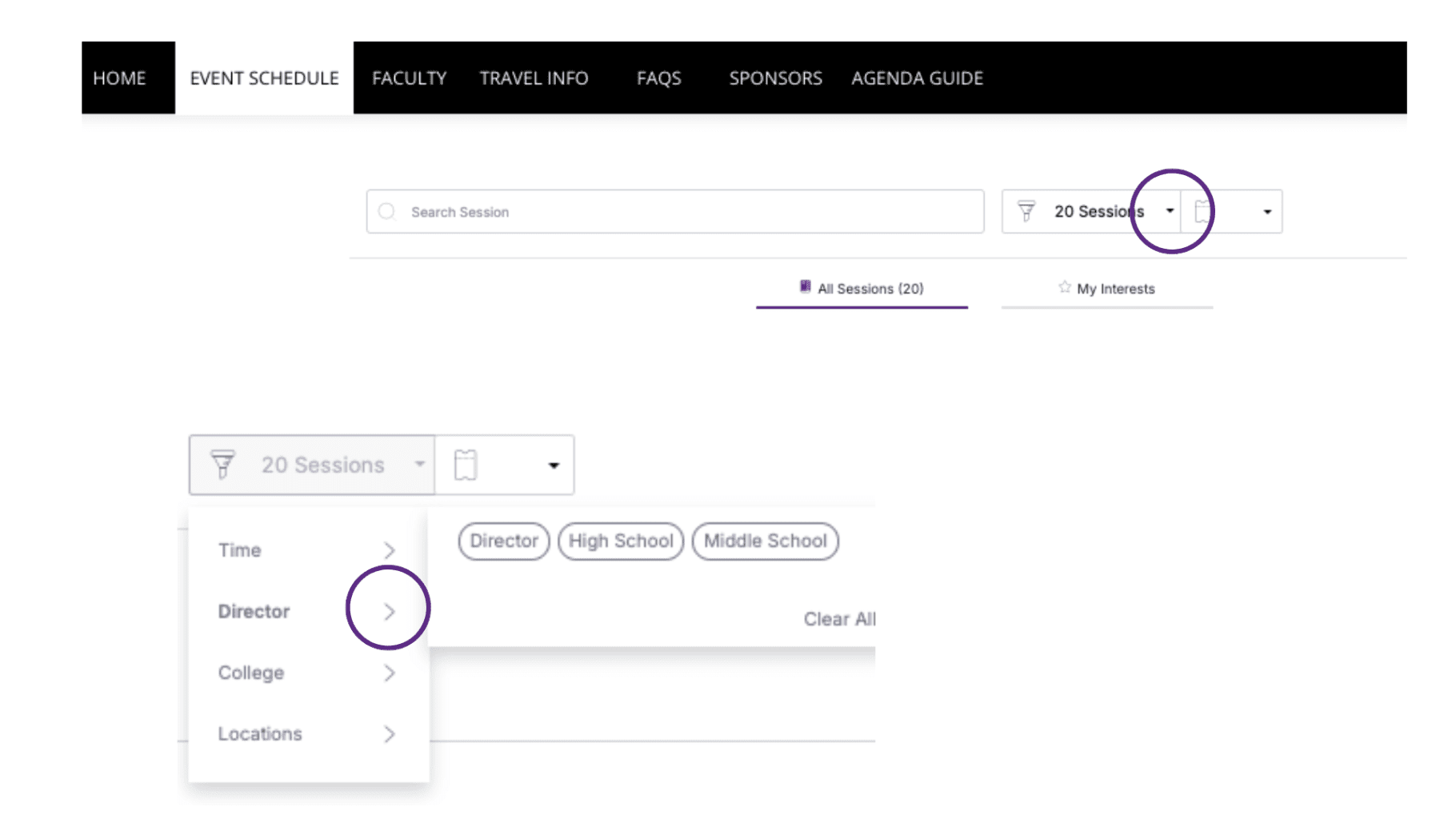
Website Agenda View
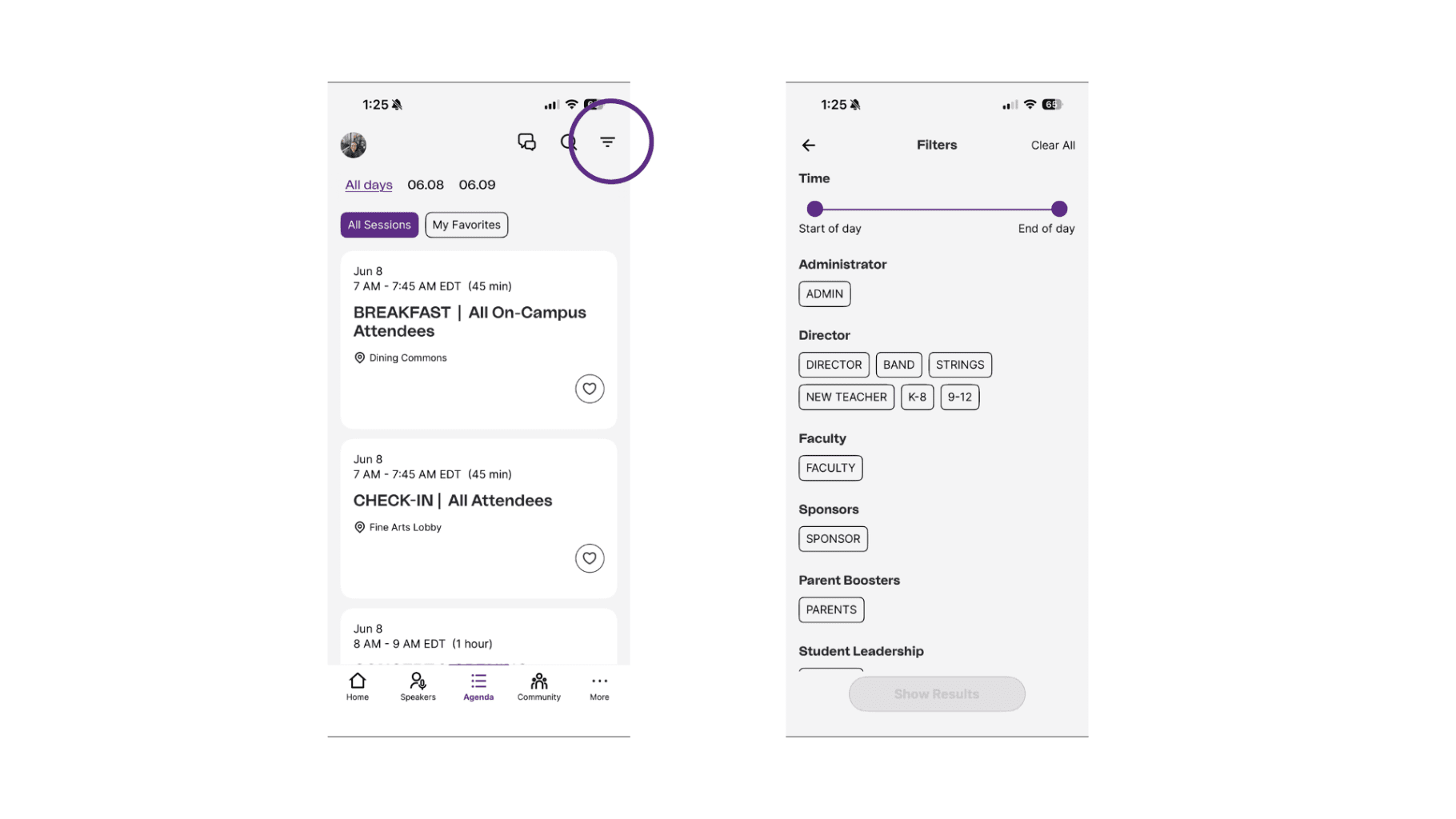
Mobile App Agenda View