
- A computer, tablet or smartphone with internet access (we recommend Google Chrome on a personal device)
- The email address you used to sign up for this event
- If available, your ticket number.
Frequently Asked Questions
Joining our More Than My Trauma webinar series online
Thank you for signing up to our More Than My Trauma webinar series on 16-18 September 2020.
If you’ve not yet booked a ticket, please buy one here.
If you don’t know if you already have a ticket, please check your emails or email us ASAP.
Your confirmation and ticket information will be sent by Bizzabo. Please also check your spam folder for these.
Please carefully read the information below - we can’t provide refunds if your own IT issues prevent you from accessing these sessions.
What will I need to participate on the day?
Q1. Where can I access the webinar sessions?
Log into the More Than My Trauma Bizzabo site to view the agenda and live sessions.
Q2. How do I log in to the Bizzabo website?
Open the Agenda page and a welcome message will pop up to check your registration status.
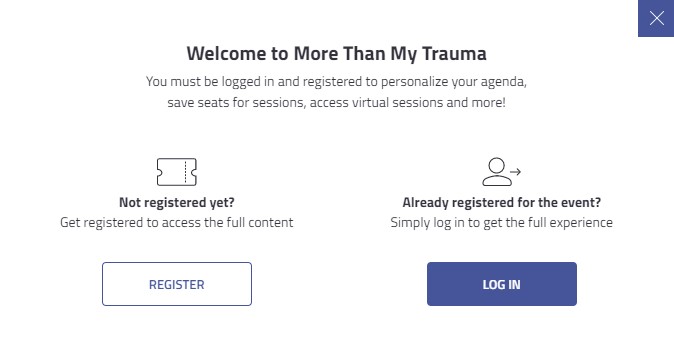
If you don’t have a ticket, click REGISTER to book a place. If you’re already a ticket holder, click LOG IN and choose from:
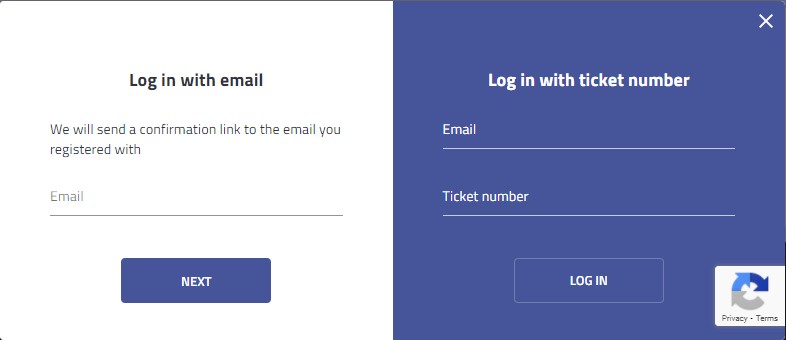
(Quickest option) Log in with your email and ticket number: Enter your details and click LOG IN.
or
Log in with email: enter the email used to register for this event. You’ll receive a Bizzabo confirmation email with a link which automatically logs you in. Please check your spam if you don't receive this within a few minutes.
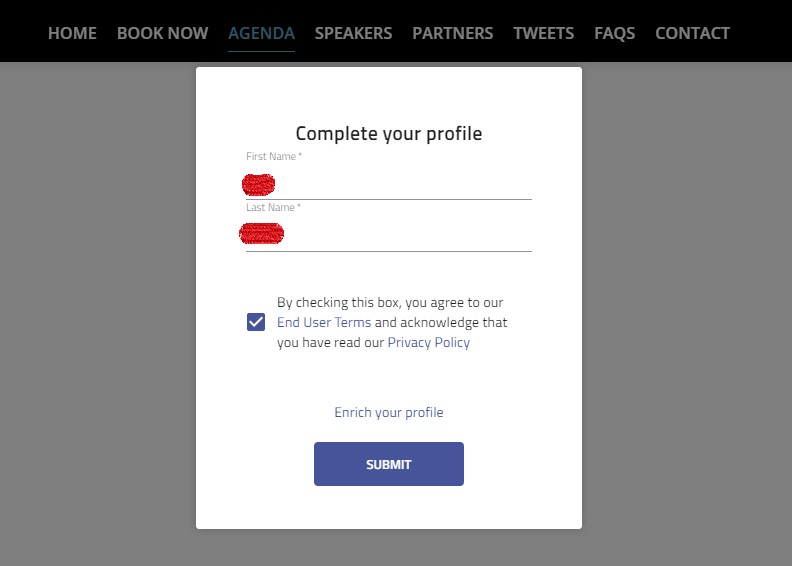
Once logged in, a pop-up window will appear asking you to "Complete your profile". Please tick the box and click "Submit" to access the agenda. If the pop-up window doesn't appear, please disable your pop-up blocker.
Still having issues logging in? Please see Q5 for further advice.
Q3. I can’t remember which email address I registered with. What can I do?
Please search your work and personal emails (including spam), for emails from 'Bizzabo'.
If you can't find any, please contact events@childreninscotland.org.uk ASAP.
Q4. I was booked on by someone else / I have booked several tickets for my colleagues under my name, how can I access the sessions?
Individuals can only access the event if they have a ticket registered in their name and email address.
For group bookings, you must enter the names and email addresses for each colleague by clicking 'Manage Registration Details' in your original booking confirmation email. Please ensure that spelling is correct.
If you no longer have this or you experience any issues, please contact events@childreninscotland.org.uk ASAP.
*If you don’t submit individuals’ contact details, they won't be able to join the sessions - and we are unable to issue refunds if you don’t register individuals in time.*
Q5. I’ve already tried logging in, but I’m still having issues. What do I do?
Firstly, clear your device's cache and history and retry.
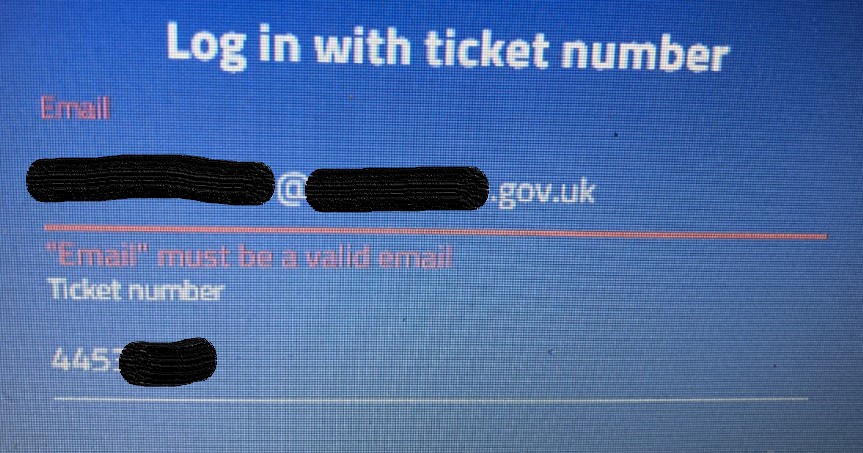
If your details are definitely correct and you still have issues (i.e. error message 'Email must be a valid email' - as below), please try again on a different device and/or internet browser.
We highly recommend using a personal device with Google Chrome.
Some work devices and networks (especially local authorities) have strict security settings which may prevent you from logging in. If a personal device isn't available, please speak to your own IT support team - our team is unable to fix software or firewall issues with your device. You'll also have to disable any pop-up blockers.
Should this still fail, please contact us via events@childreninscotland.org.uk immediately.
Q6. How do I join a session?
On the agenda page, select a session and click BROADCAST or JOIN NOW.

The Broadcast will become available two minutes before the scheduled session start time.
When you click the Broadcast button, you may be prompted to login in order to join the session (see Q2).
You can only join the broadcast if you’re logged in and if your ticket is valid for that day.
The Broadcast or Join Now link will take you to our external webinar software (GoToWebinar). See technical requirements and joining instructions in Q6 below.
Click CONTINUE to be redirected to our webinar page.
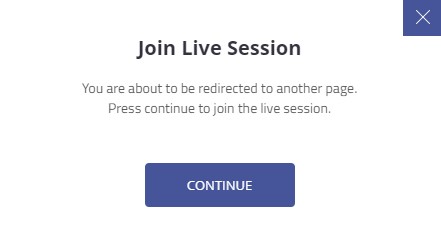
Q7. How do I enter a session?
The broadcast links on our Agenda page will take you to our external webinar software GoToWebinar. This should open in your web browser and you’ll be able to confirm your registration details and click REGISTER.
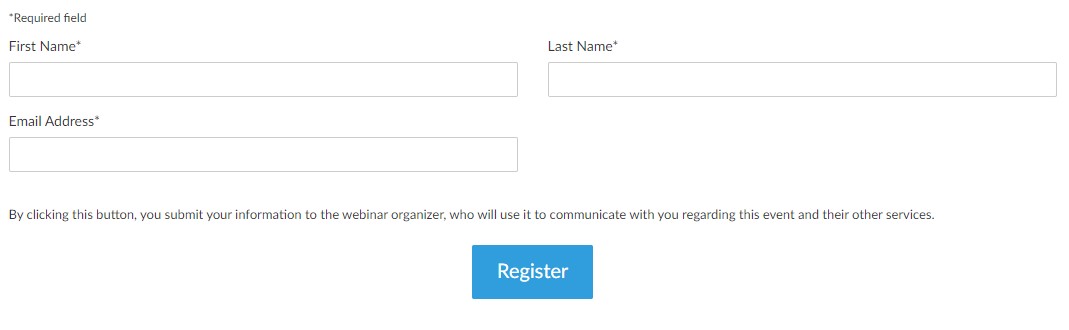
You are now fully registered and can click JOIN THE WEBINAR (see image below) to access the live broadcast.
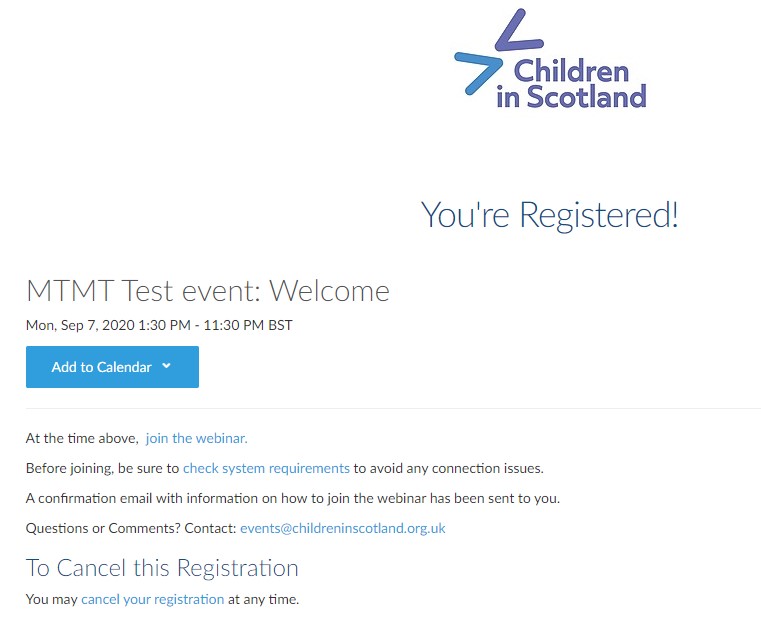
Don’t worry if you accidentally close this page, a confirmation email with information on how to join has been sent to you via email. You can use those instructions to join the session via your device.
Please note that the joining information is specific to your registration and can’t be shared.
Q8. How can I check that my device is compatible?
Before the webinar, check your system requirements. You can attend this webinar from any compatible computer, tablet or smartphone connected to the internet. Check in advance whether your device is compatible by reading our GoToWebinar joining instructions here.
We highly recommend using Google Chrome on a personal device to run the webinar.
Please note that some organisations have additional security settings which prevent you from accessing the webinar on a work device. Please check well in advance that you can do so. If not, we recommend using a personal device if possible.
We are unable to provide refunds if your own IT issues prevent you from accessing the event.
Q9. How can I test using GoToWebinar on my device before the webinar?
We strongly recommend you log in for a few minutes to one of these test sessions to ensure your device’s compatibility:
Tuesday, 15 Sept, 10-11am (BST)
Tuesday, 15 Sept, 2.30-3.30pm (BST)
Q10. How do I move between sessions?
When a session ends, or if you decide to switch to a different breakout session, close the GoToWebinar session you are in and return to the More Than My Trauma website. If the browser tab is still open, click BACK to return to the agenda. You can then enter any other in progress session by clicking the Broadcast button for that session on the agenda.
The agenda includes a short break between each set of sessions, to allow time to navigate to the next session.
Q11. How can I ask a question during a session?
The GoToWebinar control panel allows you to submit comments and questions. If you have a question, click the grey drop-down Question tab in your control panel and type into the box.
Please note that questions are only visible to the presenter and organiser, not to everyone. This is due to GDPR settings. Some questions may be shared with the group, but they will remain anonymous.
Q12. I've joined the session, but I can't hear or see the presenters, what can I do?
Most likely, this is an issue with your audio settings or internet connection.
Ensure you have set up your audio output properly – select your computer audio, or plug in speakers or headphones. Read our detailed instructions for further advice.
It often helps to leave and re-enter a session to fix temporary glitches in your audio or internet connection.
Q13. If I still have trouble accessing a session, who can I contact?
If you have trouble logging in, please email events@childreninscotland.org.uk.
During the session please use the in-webinar question box (see Q11) to contact us.
Please read this full page, including further links to instructions and system checks carefully to avoid issues on the day. With limited IT support on the day, any late issues may not be responded to in time.
Q14. Will the sessions be recorded?
This will primarily be a live broadcast event. We are currently confirming how, when and where the webinar recordings will be accessible from, and we will share this with attendees following the event.